
Obsidian plugin
Note Peek
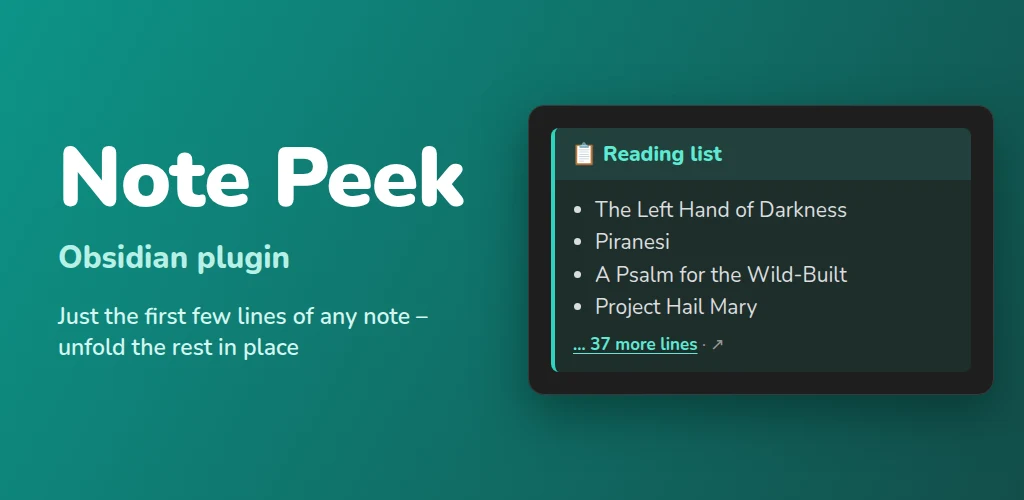
Obsidian plugin: show just the first few lines of a note and unfold the rest in place.
What it is
Obsidian is a popular note-taking app that keeps everything in plain Markdown files in a folder on your device – your vault. Community plugins extend what it can do.
Note Peek is one of them. A normal embed always shows the whole note. Note Peek shows only a peek – the first few lines, the last few, or one section – so a long list, log or journal fits neatly into a dashboard, a callout or an admonition. One click unfolds the rest right there.
What it does
Just a few lines
Choose how many lines to show with
lines: 4– from the start of the note, or from the end withfrom: endfor logs and journals.Unfold in place
Below the peek is a link like … 37 more lines. Click it and the whole note unfolds right where it is; show less folds it back. The ↗ arrow opens the note.
One section
Peek into a single heading with
section: Ideasor[[Note#Ideas]], or a single block by its^id.Inside admonitions
It is a code block, so it works anywhere – in a plain note, in callouts and in Admonition blocks on your dashboard.
Clean and live
Frontmatter, comments, code blocks and navigation embeds are skipped, so the peek shows the real content. It updates as soon as the note changes.
Free and open
Open source under the MIT licence, works on desktop and mobile and sends nothing anywhere – it runs only inside your Obsidian.
Get started
- Download
main.js,manifest.jsonandstyles.cssfrom the latest release on GitHub into.obsidian/plugins/note-peek/in your vault. - In Obsidian open Settings → Community plugins and enable Note Peek.
- Add a code block to any note:
```note-peek
file: [[Reading list]]
lines: 4
```
All options are described in the README on GitHub.
Obsidian is a trademark of Dynalist Inc. Note Peek is an independent plugin and is not officially affiliated with Obsidian.