
Obsidian plugin
Image Icons
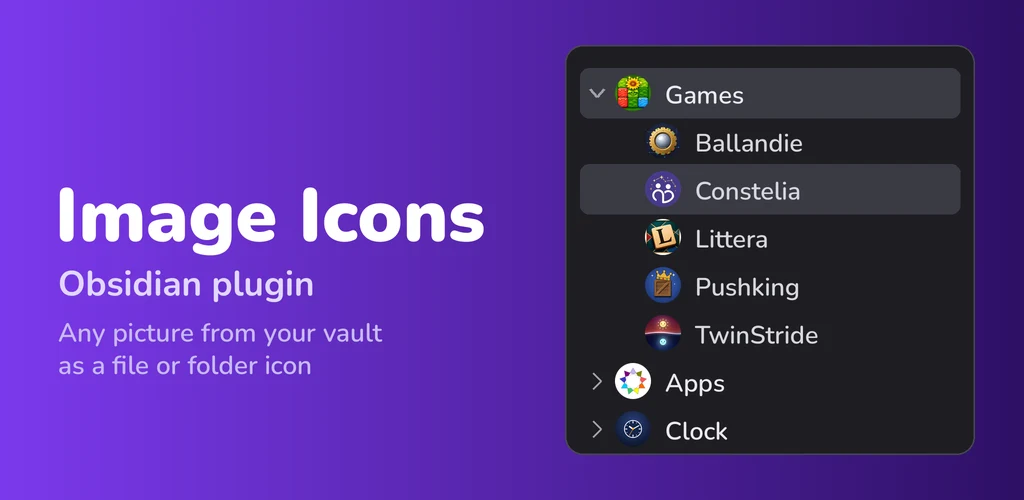
Obsidian plugin: use any picture from your vault as the icon of a file or folder.
What it is
Obsidian is a popular note-taking app that keeps everything in plain Markdown files in a folder on your device – your vault. Community plugins extend what it can do.
Image Icons is one of them. The icon of a file or folder in the file explorer and tab headers can be any picture from your vault – a person’s photo next to their note, a book cover, a project logo or a screenshot. Typical icon plugins only offer icon packs and emoji.
What it does
Any picture
PNG, JPG, GIF, WebP, SVG, AVIF and BMP – as long as it is in your vault. It is shown as a small circle or rounded square.
Right-click
On a file or folder choose Set image icon… and pick a picture in a window with thumbnails. Removing it is just as easy with Remove image icon.
A property in the note
For notes the picture is stored in a property, e.g.
image-icon: "[[cat.png]]"– write it by hand or from templates, and the link updates itself when you rename the picture.Folders
A folder takes the picture of its folder note, or you set one directly. It works for PDFs, images and other files too.
Explorer and tabs
The picture appears in the file explorer and in tab headers. Shape, size (12–32 px) and the property name are up to you.
Callouts and admonitions
Write
![[cat.png|icon]]in the title of a callout or an Admonition block and the picture replaces its icon – in reading view and live preview alike.Free and open
Open source under the MIT licence, works on desktop and mobile and sends nothing anywhere – it runs only inside your Obsidian.
Get started
- In Obsidian open Settings → Community plugins → Browse, search for Image Icons, install it and enable it.
- In the file explorer, right-click a file or folder and choose Set image icon…
- Pick a picture – done.
Image Icons is in the Obsidian community directory. You can also install it by hand: download main.js, manifest.json and styles.css from the latest release on GitHub into .obsidian/plugins/image-icons/ in your vault and enable the plugin.
Obsidian is a trademark of Dynalist Inc. Image Icons is an independent plugin and is not officially affiliated with Obsidian.